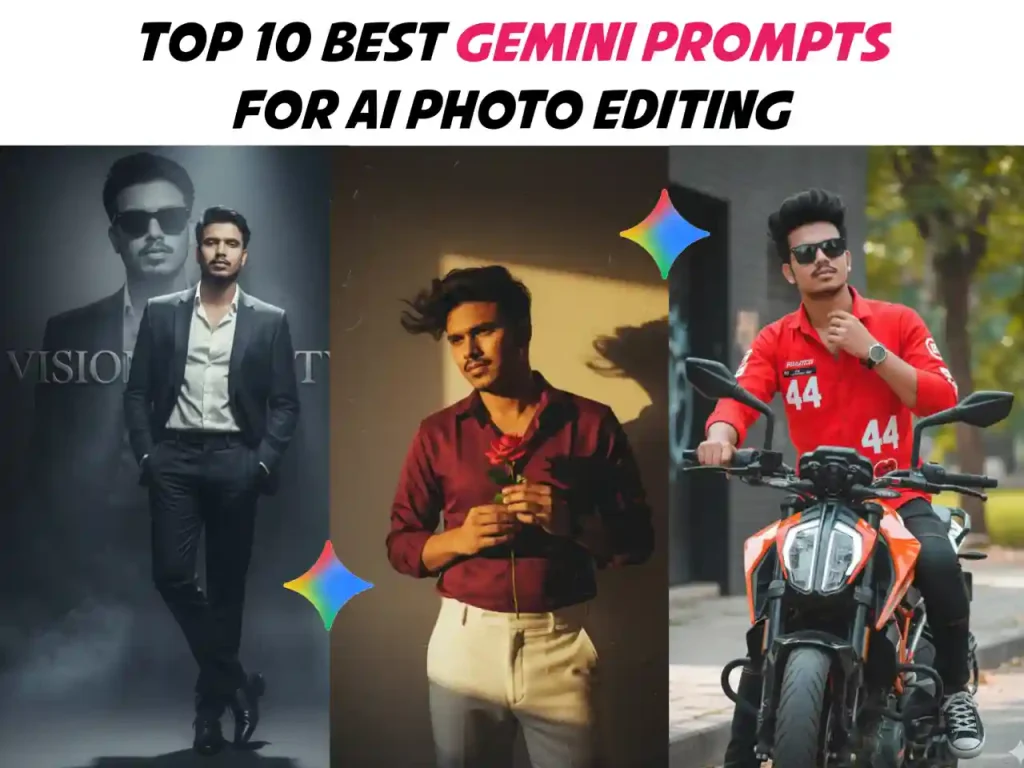
Photo editing has entered a new era with the rise of AI-powered tools like Google Gemini. Unlike traditional editing apps, Gemini allows you to generate professional, stylish, and unique photos just by writing prompts. With the right words, you can turn a normal selfie or portrait into a high-quality studio shot, a cinematic poster, or even a fashion-style magazine cover.
In today’s trend-driven world, AI picture editing is going viral on platforms like Instagram, Facebook, and TikTok. People are using Gemini prompts to upgrade their social media photos, create eye-catching profile pictures, and even design personalized digital portraits. In this article, we’ll explore the 10 best Gemini prompts for photo editing that you can use with your own pictures. Each prompt is crafted to bring out your face features naturally, while giving a stylish and unique professional vibe.
Why Use Gemini for Photo Editing?
Before jumping into the prompts, let’s understand why Google Gemini AI has become a game-changer in AI photo editing.
- ✅ User-Friendly – Just type a few words, and Gemini will generate stunning results.
- ✅ Stylish Looks – Perfect for creating unique fashion, professional, or creative images.
- ✅ Viral Trend – AI picture editing is trending on social media, and Gemini leads the way.
- ✅ Personalized Results – Prompts can be customized with your own name, outfit style, or background idea.
How to Use Gemini Prompts for Photo Editing
Using Gemini prompts is simple:
- Upload your normal picture.
- Enter the editing prompt (from the list below).
- Gemini will generate stylish, high-quality results based on your face.
- Save, share, or edit further as needed.
Tips for Writing Better Gemini Prompts
To get the best results with Gemini AI photo editing, you should always focus on writing clear and detailed prompts. Start by being specific—mention the style, background, outfit, and mood you want so Gemini can generate exactly what you imagine. For example, instead of a generic line, say “make my photo a cinematic portrait with soft lighting and elegant background, keeping realistic face details.” This ensures a more professional look. It is also important to keep natural face features by adding phrases like “maintaining realistic face details” so the AI doesn’t change your identity.
Use descriptive adjectives such as cinematic, elegant, glossy, professional, or modern to improve quality and aesthetics. Finally, always experiment with variations, because small changes in your prompt can give you multiple unique and stylish photos that are perfect for social media, personal branding, or professional use.
Extra Headings & Paragraphs for Your Blog Post
What Makes Gemini Different from Other AI Photo Editors?
While there are many AI tools like MidJourney, DALL·E, and Photoshop AI, Google Gemini stands out for its simplicity and accuracy. Unlike others, Gemini focuses on realistic human faces, ensuring that your natural features remain intact. You don’t need advanced editing skills just a creative prompt can generate professional-quality results.
The Rising Trend of AI Photo Editing in 2025
AI photo editing is no longer just a tech experiment, it has become a global social media trend. Millions of people now use AI to create unique profile pictures, wedding edits, festival photos, and even digital art for business branding. In 2025, platforms like TikTok, Instagram, and Pinterest are filled with AI-edited portraits, making Gemini one of the most popular tools.
Benefits of Using Gemini Prompts for Personal Branding
If you’re building a personal brand, Gemini prompts can help you stand out.
- 🎯 Consistency: Create photos in the same style for social media branding.
- 🎯 Professional Appeal: Get corporate-friendly images without hiring a photographer.
- 🎯 Creativity Boost: Experiment with multiple styles minimalist, cinematic, fantasy, or fashion.
- 🎯 Cost-Effective: No need for expensive cameras or editing software.
Common Mistakes to Avoid in Gemini Prompts
Many beginners make mistakes while writing prompts. Here are a few to avoid:
- ❌ Too Generic: Writing “make my photo better” won’t give good results.
- ❌ Ignoring Details: If you don’t specify lighting, outfit, or background, the AI may produce random edits.
- ❌ Overloading Instructions: Too many details can confuse Gemini, so keep it balanced.
- ❌ Forgetting Realism: Always add phrases like “keeping natural face features” for authentic results.
How to Make AI Photos Go Viral on Social Media
If you want your Gemini-edited photos to go viral on social media, you need the right strategy along with powerful prompts. Start by writing catchy captions and adding trending hashtags like #AIEdits, #GeminiPhotos, and #StylishPortrait to increase visibility. Posting during peak hours, especially in the evening, helps your content reach more people. You can also experiment with before-and-after photo comparisons, which are highly engaging and often shared widely. Finally, always engage with your audience by replying to comments and encouraging followers to try Gemini prompts themselves. These simple but effective tips will boost your chances of creating viral AI pictures that stand out on Instagram, Facebook, and TikTok.
Gemini Prompts for Special Occasions
You can also use Gemini to create AI-edited photos for festivals and events:
- 🎉 Wedding Style Prompt: “Make my photo look like a traditional wedding shoot with luxury outfit and elegant background.”
- 🎄 Christmas Prompt: “Transform my picture into a Christmas theme with Santa hat, snowy background, and festive lights.”
- 🎂 Birthday Prompt: “Generate a birthday-style photo with balloons, colorful background, and stylish cake setup.”
Comparing Gemini Photo Editing with Traditional Editing
- ✨ Traditional Editing: Requires tools like Photoshop, Lightroom, or apps with filters. Needs time and skills.
- ✨ Gemini Editing: Just write a text prompt, and AI does all the work instantly.
Result: Gemini saves time, effort, and cost, while still producing high-quality results.
Top 10 Best Gemini Prompts for Photo Editing
Motorcycle Prompt
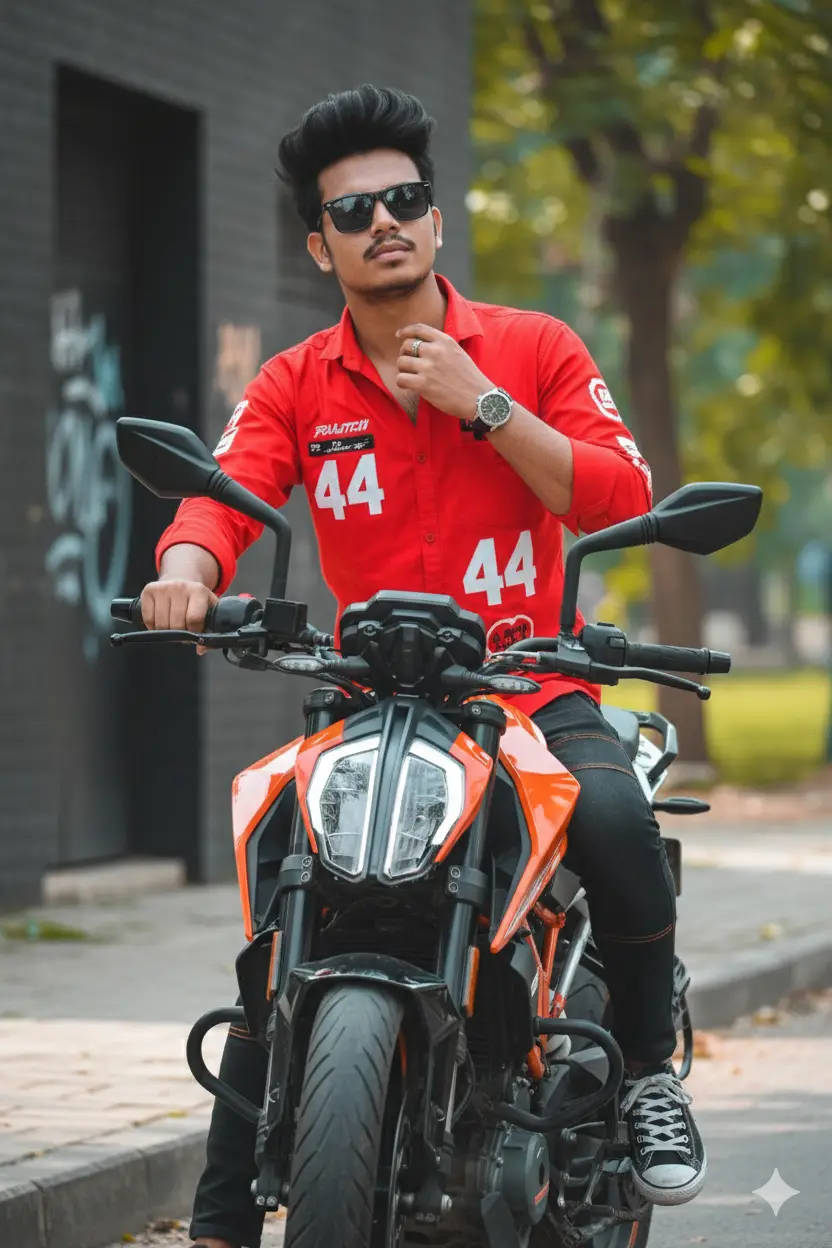
Turn my image to A confident and stylish young man, likely in his late teens or early twenties, with dark, spiky hair styled upwards, wearing cool sunglasses. He is dressed in a vibrant red long-sleeved shirt, partially unbuttoned, with some graphics or numbers (specifically ’44’) on it. He is also wearing dark pants or jeans, possibly with some orange accents that match the motorcycle, and dark sneakers (possibly Converse style). He has a watch on his left wrist and a ring on his right hand. He is straddling a modern, sporty motorcycle (specifically a KTM Duke model, identifiable by its distinctive headlight and orange frame accents). His left hand is on the handlebars, while his right hand is casually adjusting his collar, exuding a cool and edgy attitude. The background is slightly blurred, featuring a dark, textured wall or building facade on the left and some out-of-focus foliage or a natural setting on the right, suggesting an urban or semi-urban environment. The lighting is bright and clear, possibly an outdoor setting on a sunny day, with a slight color grade that enhances the reds and oranges and gives the image a sharp, dynamic feel.
Black dress stylish Prompt
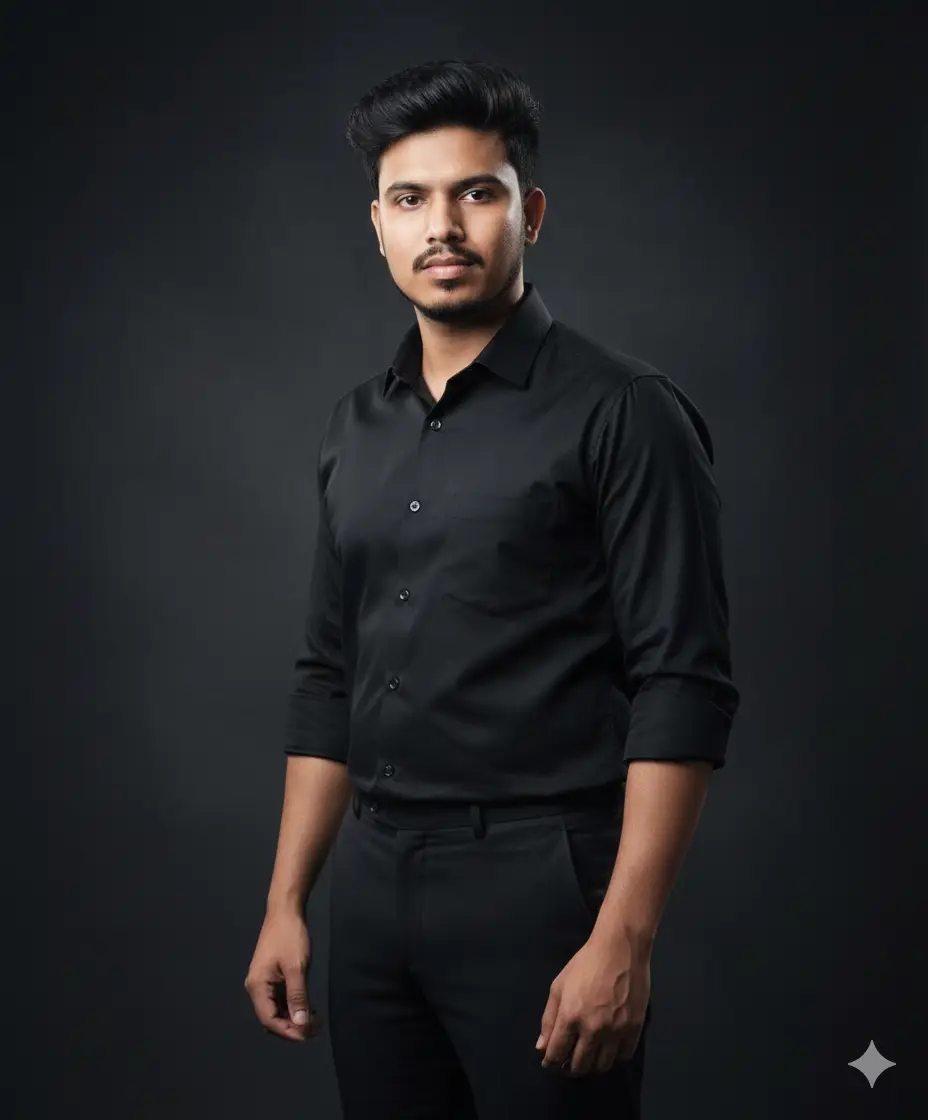
Create a retro vintage grainy but bright image of the reference picture but draped in a perfect black colour suit Pinteresty aesthetic retro pants. It must feel like a ’90s movie hair baddie with a flower in hand and romanticising a windy environment. The man is standing against a solid deep shadow and contrast drama, creating a mysterious and artistic atmosphere where the lighting is warm with golden tones evoking a sunset or golden hour glow. The background is minimalist and slightly textured the expression on his face is moody, calm yet happy and introspective.
red dress flower Prompt
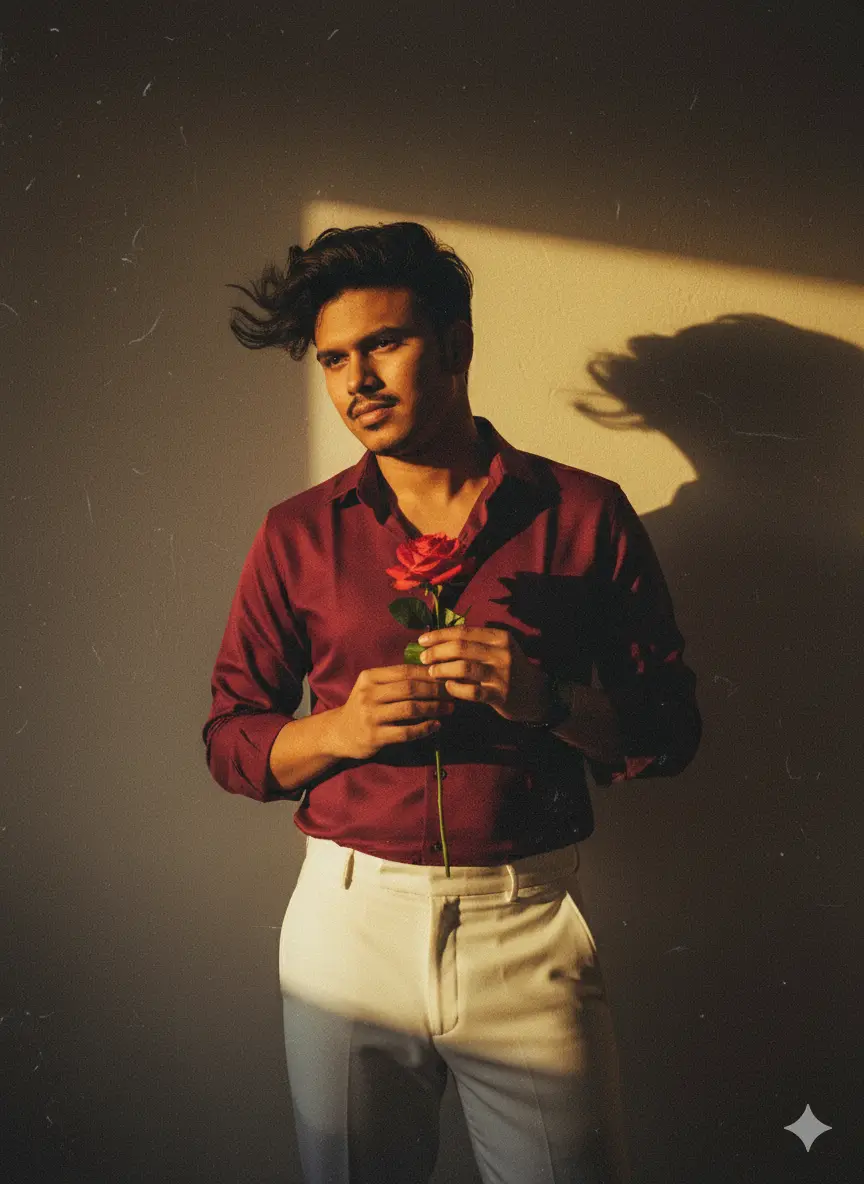
Create a retro vintage grainy but bright image of the reference picture but draped in a perfect red wine color. Pinteresty aesthetic retro shirt with white pant and holding a rose flower in hands. It must feel like a 90s movie and romanticising windy environment. The boy is standing against a solid wall deep shadows and contrast drama, creating a mysterious and artistic atmosphere where the lighting is warm with a golden tones of evoking a sunset or golden hour glow. The background is minimalist and slightly textured the expression on her face is moody, calm yet happy and introspective. HD
Umbrella photo Prompt
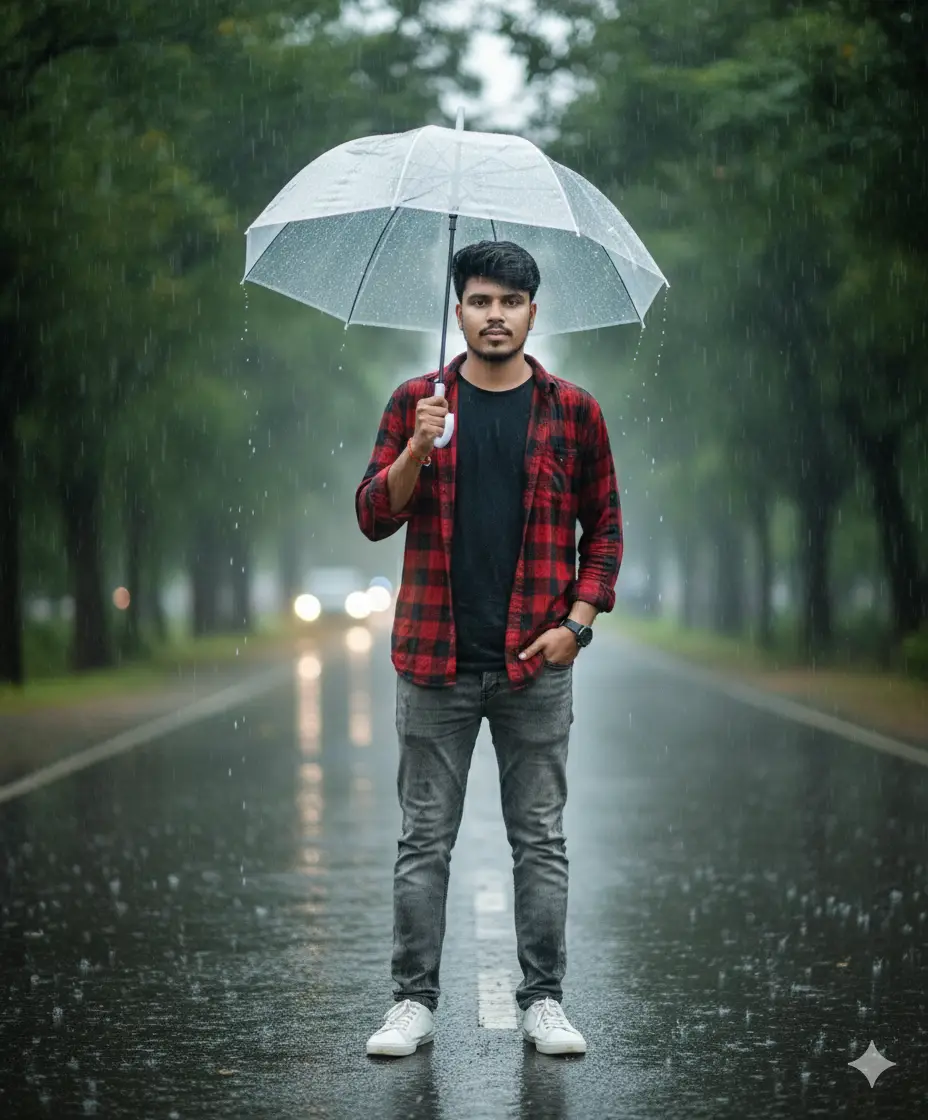
“A young man standing confidently on a wet road in the rain, holding a transparent umbrella. He is wearing a red and black checkered shirt, grey jeans, and white sneakers. One hand is in his pocket, the other holding the umbrella. The road is shiny from the rain, surrounded by green trees, with raindrops falling. The background is softly blurred (bokeh effect), giving a cinematic portrait look, moody weather, full body shot, realistic photography style, DSLR quality.”
kashful Prompt
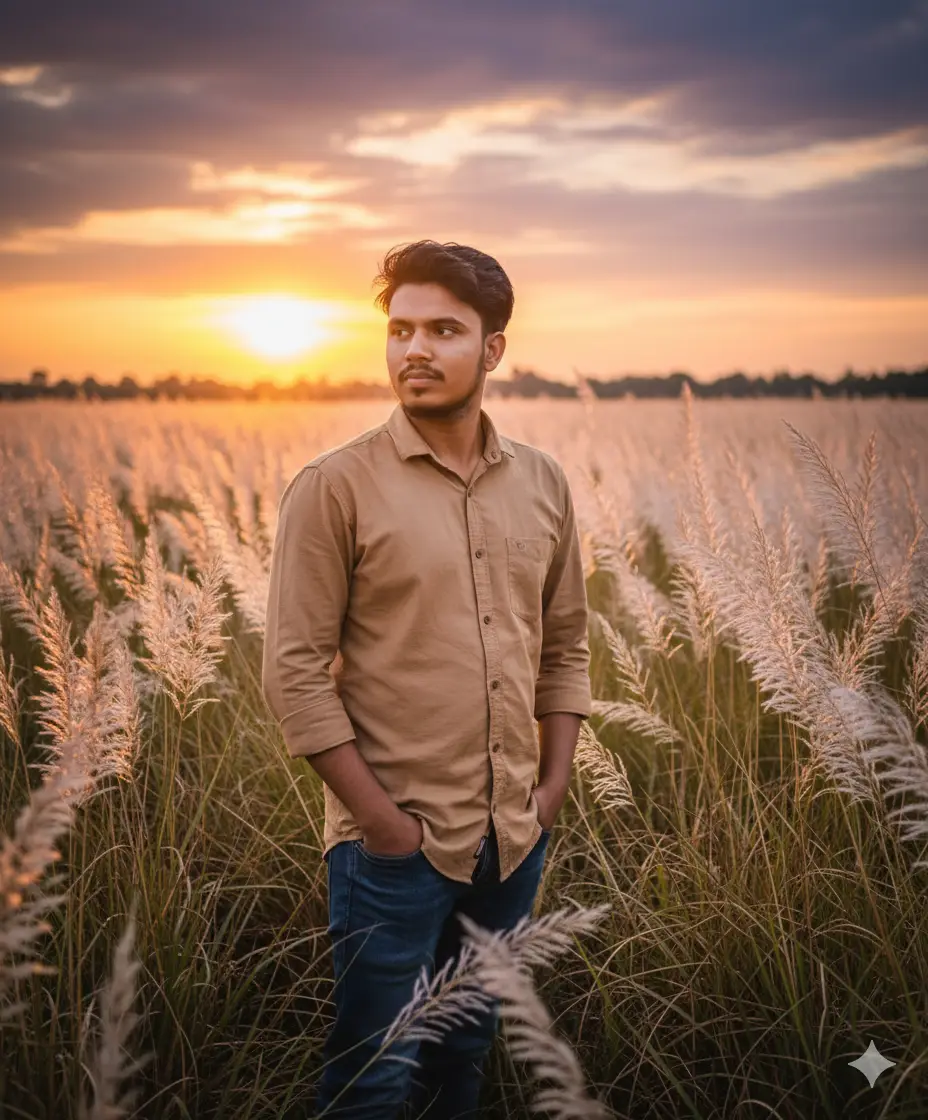
Generate a hyper-realistic photo of [uploaded face image] standing in a Bangladeshi Kans grass (wild sugarcane) field during sunset. The face and appearance must look exactly like the uploaded reference image, highly realistic and lifelike. He is wearing a realistic modern shirt and pants that match the natural countryside scene. He is standing naturally, facing slightly to the left instead of directly at the camera. The sky looks dramatic with the setting sun casting warm low light across the tall white Kans grass. The photo should look cinematic, peaceful, ultra-detailed, and as realistic as an actual photograph.
padda ful nouka Prompt
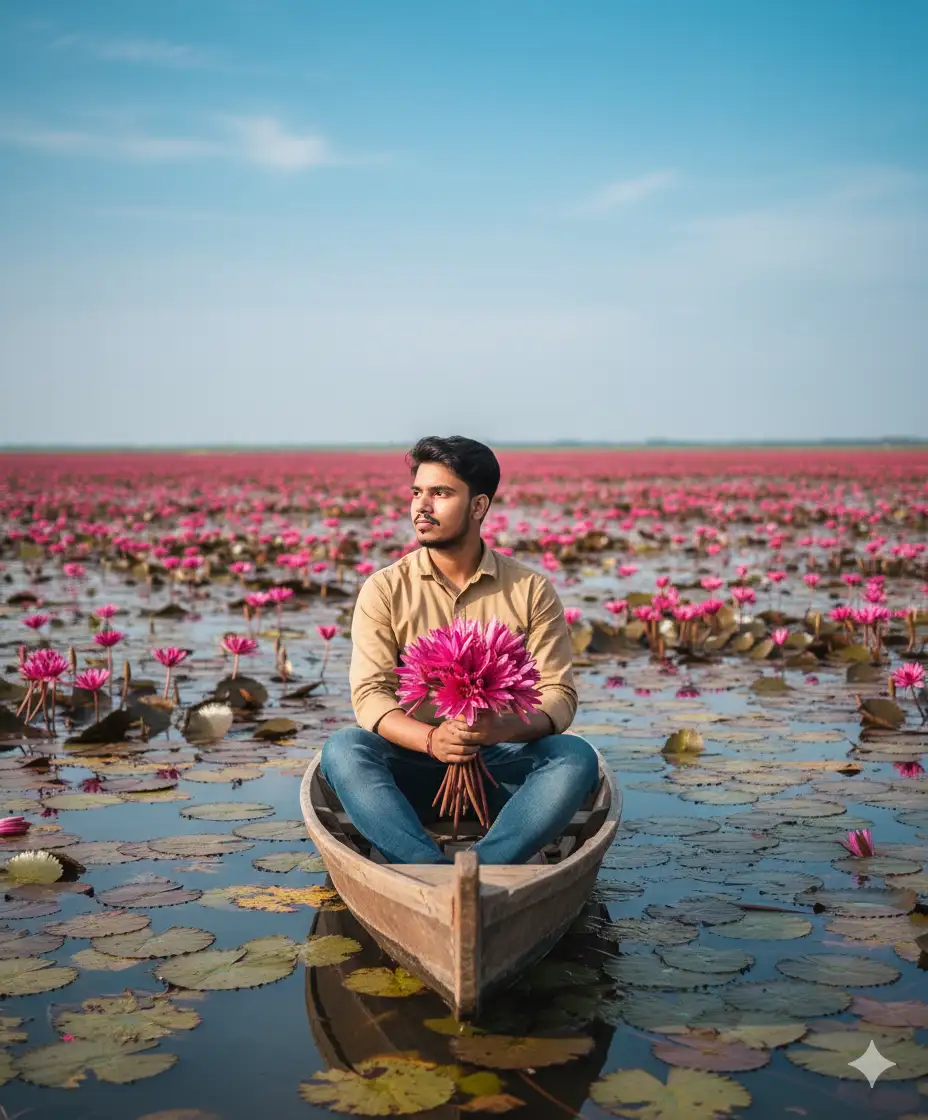
A person sitting on a boat in a lotus-filled wetland, holding a bunch of fresh red water lilies. All around, vibrant red water lilies bloom across the water, creating a calm and romantic atmosphere. Clear sky, soft natural light, realistic photography style.”
headphone and boat Prompt
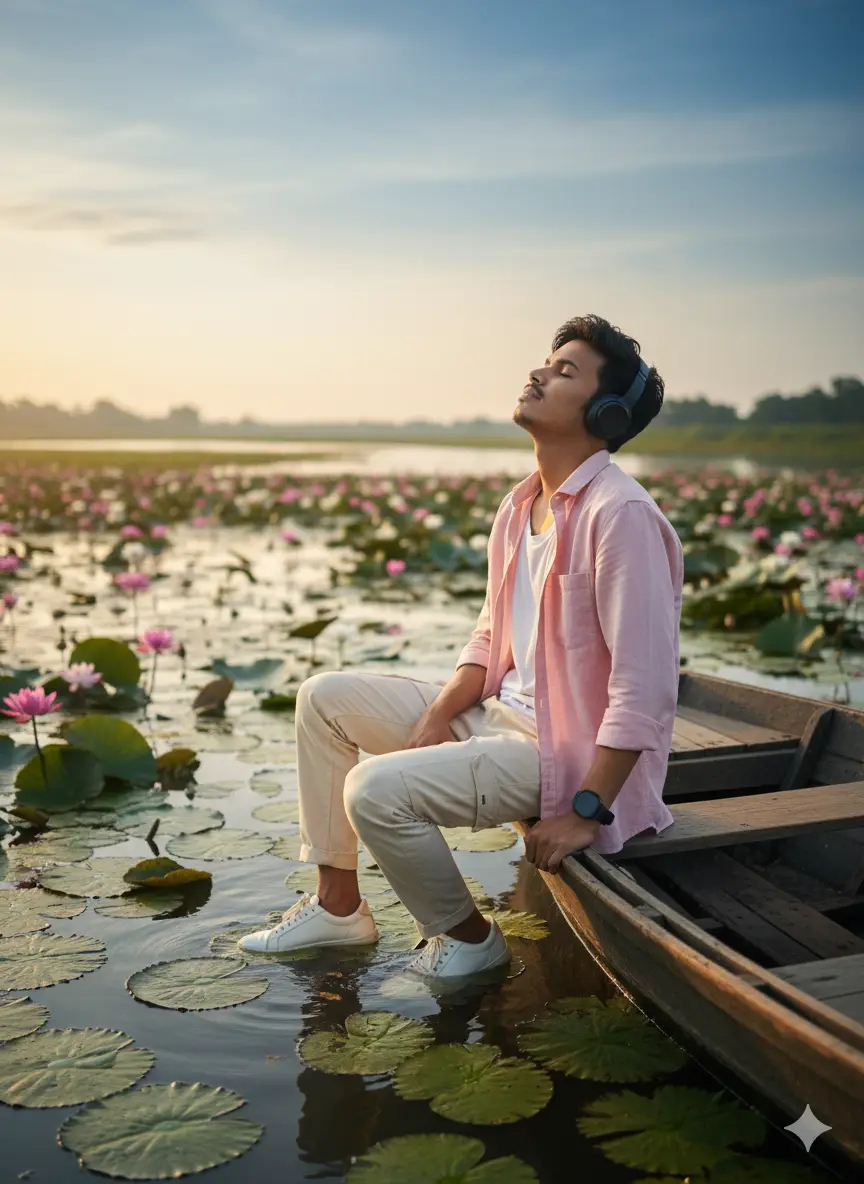
Generate a cinematic and highly realistic image of a young Bangladeshi boy, keeping his face and appearance exactly like the provided reference image. He has a skinny personality, wearing an unbuttoned light pink shirt and cream-colored cargo pants. He is wearing a watch, sitting slightly on a boat and giving his best pose. The boat is in a river full of lotus flowers. He is using a headset, enjoying music with eyes slightly closed while looking at the sky. He is wearing stylish white shoes.
bristy te veja Prompt
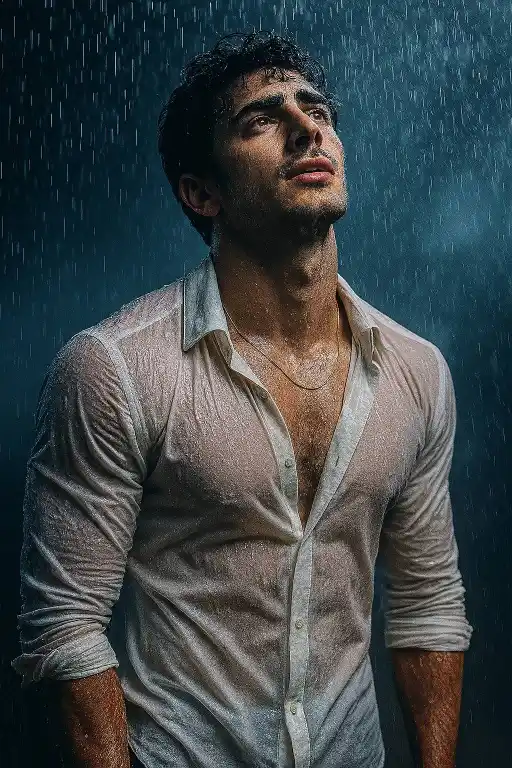
Create an image A stylish model standing in heavy rain, soaked and expressive, wearing a semi-wet white dress shirt with subtle transparency, artistically clinging to his form. He looks upward with a cinematic, emotional expression. Rain droplets suspended midair, dramatic lighting with cool blue tones, soft mist in the background, shallow depth of field. Editorial fashion shoot style, aesthetics, captured in ultra-high resolutionRatio 3:4
Stylish Prompt
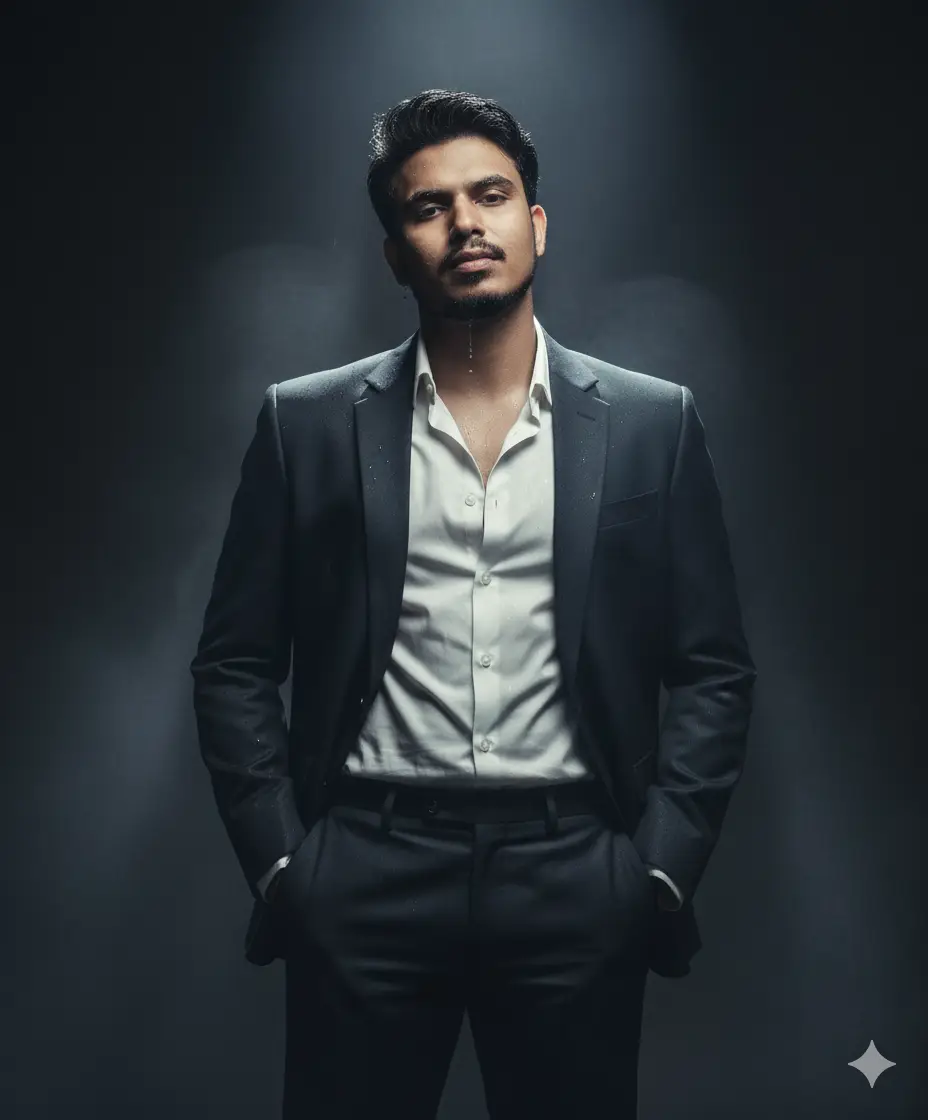
HANDS IN POCKETS – RELAXED AUTHORITY A HYPER-REALISTIC CINEMATIC EDITORIAL PORTRAIT OF THE UPLOADED PERSON (PRESERVE FACE 100%). НЕ STANDS TALL IN A DARK MOODY STUDIO, SURROUNDED BY SOFT DRIFTING SMOKE UNDER A DRAMATIC SPOTLIGHT.OUTFIT:FIT SLATE-BLACK LUXURY SUIT WITH FIT-LEG TROUSERS, PAIRED WITH A SLIGHTLY UNBUTTONED WHITE SILK SHIRT. BOTH HANDS TUCKED CASUALLY IN POCKETS, SHOULDERS RELAXED, CONFIDENT EXPRESSION, HEAD TILTED SLIGHTLY UPWARD.
Cinematic Prompt
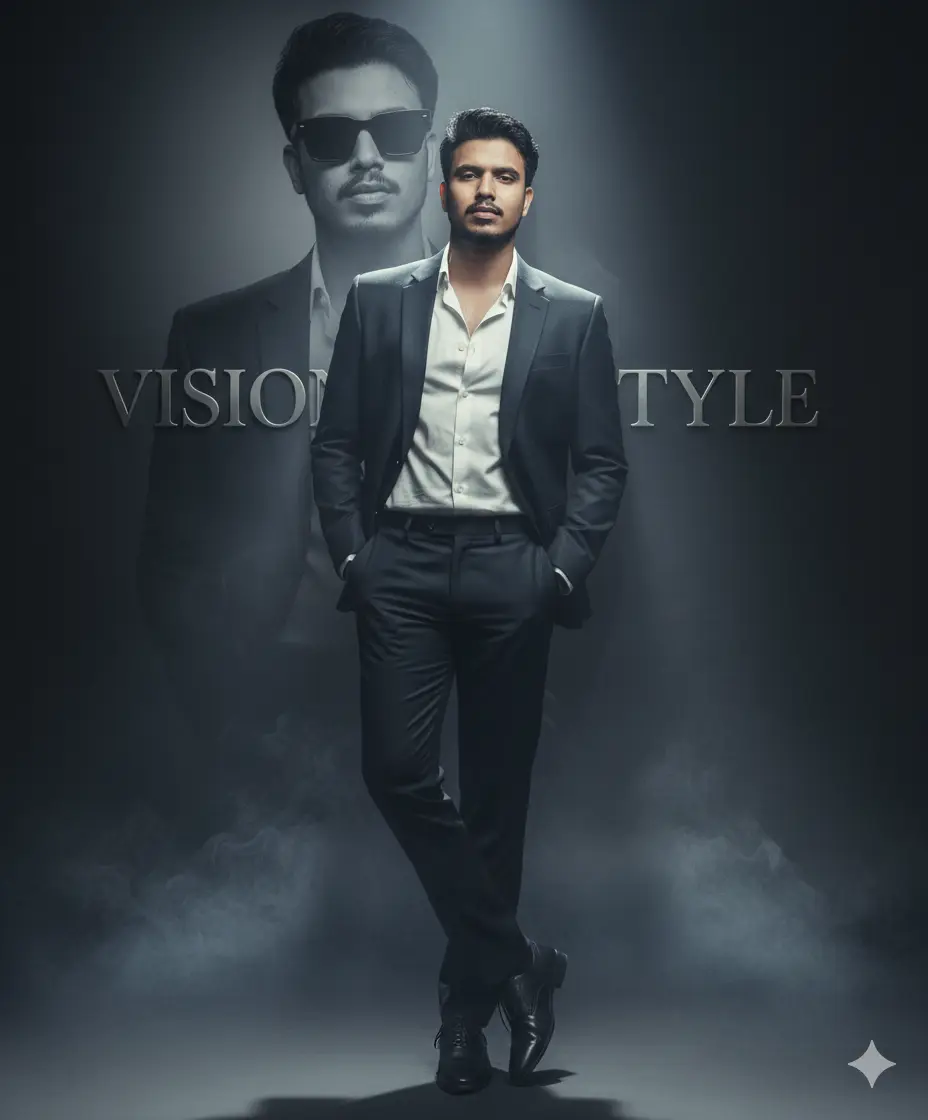
A stylish young man wearing a same in a photo, standing confidently with hands in pockets, one leg crossed over the other, wearing black formal shoes, studio portrait with soft lighting, elegant dark background, cinematic look, professional photo editing, a large faded background portrait of the same person in black sunglasses behind him, luxury fashion style, premium magazine photoshoot vibe.” Same face as the uploaded image And add Fine smoke on the floor a metallic text in background.
Google Gemini
Read more post: Trending 3D photo editing
The Future of AI Photo Editing
Experts predict that AI photo editing will dominate digital content creation. Soon, we may see AI-generated wedding albums, fashion catalogs, and professional portfolios. With continuous updates from Google Gemini, users will get even more advanced and realistic results.
Final Thoughts
Gemini is more than just an AI photo editor it’s a creativity booster. Whether you’re a student, influencer, business professional, or just someone who loves stylish photos, Gemini prompts open endless possibilities. By using the top 10 prompts plus extra creative ideas, you can create viral, professional, and unique pictures in seconds.
Q1: Can I use Gemini photo editing for free?
Yes, Gemini offers free access for basic edits. Premium features may require an upgrade.
Q2: Are Gemini AI photos copyright-free?
Yes, as long as you create them with your own photo and prompt, they are unique and free to use.
Q3: Will AI photo editing harm my privacy?
Gemini processes images securely, but avoid uploading sensitive or private photos.
Q4: Can I use these photos on social media?
Absolutely! Gemini-edited pictures are popular on Instagram, TikTok, and Facebook.