Pixel pitch can quietly decide whether a control room video wall feels useful or frustrating. A screen may be large, bright, and expensive, but if operators cannot read small labels from their seats, the wall fails at its main job.
Pixel pitch means the distance between the centers of two LED pixels. A smaller pitch usually means more pixels in the same area, which supports sharper images at shorter viewing distances. The best choice depends on what the team must read, how close they sit, and how much detail the wall needs to show at once.
Start With the Smallest Critical Detail
A control room wall may show camera grids, maps, alarm lists, live traffic, utility data, charts, and video conferencing windows. Each source has a different readability need. A camera overview can tolerate less detail than a GIS map with street names. A dispatch dashboard may require readable labels from every primary seat.
Before choosing a pitch, identify the smallest item that must be readable during a normal shift. It might be a camera ID, alarm code, route number, or line of dashboard text. Then check the farthest seat that still needs to read it.
Match Pixel Pitch to Viewing Distance
A common mistake is choosing the smallest available pixel pitch without checking the room. More pixels can improve detail, but they also affect budget and processing requirements. If operators sit far enough away, an extremely fine pitch may not deliver a visible benefit.
For many command rooms, the planning process should include:
- Main operator viewing distance
- Farthest supervisor viewing distance
- Smallest readable text size
- Number of data windows shown at once
- Expected room lighting
The goal is not maximum resolution on paper. The goal is readable information from the real working positions.
Why Aspect Ratio Also Matters
Pixel pitch is only one part of clarity. Wall size and aspect ratio shape how dashboards are arranged. A 16:9 format can make it easier to build familiar 2K, 4K, or 8K layouts and display standard video sources without awkward cropping.
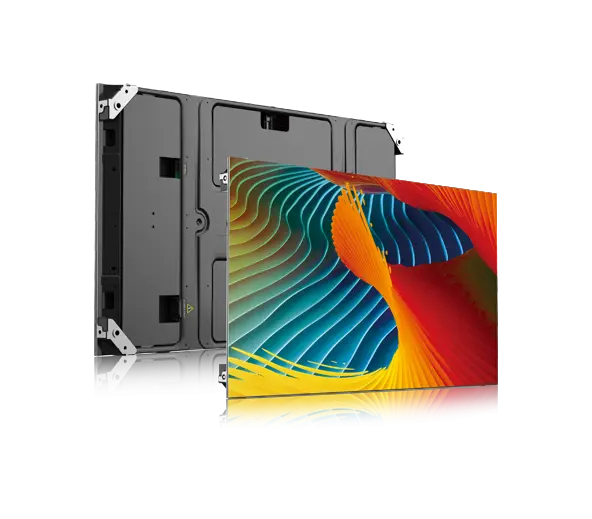
Esdlumen lists its BIM MAX Series as an indoor fixed LED display with a 16:9 cabinet direction and support for assembling LED walls in 2K, 4K, 8K, and similar formats. Its listed model range includes pixel pitches such as 1.5, 1.9, 2.6, and 2.9 mm. That makes a fine-pitch indoor LED video wall relevant when a room needs detailed dashboards, readable text, and a structured large-format display.
Do a Content Test Before Final Approval
Specifications help narrow the options, but a content test catches problems early. Put real dashboard screenshots, map labels, camera feeds, and alert windows into the proposed wall layout. View them from the operator seats. Check whether the most important information can be read quickly without zooming, squinting, or moving chairs.
If the room will run around the clock, also test brightness levels for day and night shifts. Operators need clarity without eye fatigue.
The best pixel pitch is the one that makes the room’s real information readable at the right distance, with enough flexibility for future sources and without overspending on detail no one can see.